

POPPO Live – Base Salary
Weekly Live Hours Salary (USD)
12 Hours 15
18 Hours 10
24 Hours 15
Total 40
Welcome to POPPO Live, the leading live streaming platform. This page outlines the requirements, salary structures, and application procedures for different host positions. Whether you want to become a Base Salary Host, Rocket Host, Radio Host, or S-Idol, this guide will help you understand the opportunities and benefits available.
Important: Becoming a host in any category may temporarily disable your daily tasks. Daily tasks resume once your host status ends.
Who Can Apply?
Both male and female hosts.
Agents are not eligible.
Program Overview
Base Salary Hosts receive a guaranteed weekly salary instead of relying on daily task goals. This program supports new anchors and ensures consistent early income.
Live Duration & Salary
Host Policies & Career Opportunities
1. Base Salary Hosts
Requirements
Profile: Qualified cover photo, avatar, and nickname.
Professional Appearance: Proper makeup, clear camera positioning.
Interaction: Actively engage with viewers.
Talent Showcase: Submit a 50-second video demonstrating your skills (singing, dancing, etc.).
Technical: Good lighting, network stability, and optional background music.
Payment Details
Calculated weekly from Monday 00:00:00 (UTC+8).
Newly added hosts’ live duration starts counting from their joining date.
Tasks refresh every Monday. Unclaimed rewards are not reissued.
2. Rocket Hosts
Salary Reference Table
Standard Rocket Host
Target Reward (USD)
Weekly broadcast ≥ 4 hours 5
Weekly broadcast ≥ 8 hours 10
Weekly income 500,000 points 5
Weekly income 1,000,000 points 5
Weekly income 2,000,000 points 5
Weekly income 4,000,000 points 5
Weekly income 6,000,000 points 5
Weekly income 8,000,000 points 5
SS-Rocket Host (≥20,000,000 points/week)
Target Reward (USD)
Weekly broadcast ≥ 4 hours 10
Weekly broadcast ≥ 8 hours 10
Weekly income ≥ 10,000,000 points 7-Day Super Rocket Tag
Note: SS-Rocket Hosts earn double rewards if last week’s income reached 20,000,000 points (excluding platform bonuses).
Application Requirements
Record a video (≥45 seconds) for self-introduction or talent demonstration.
Submit the video.
Upon approval, it will appear on your profile.
Salary Structure
Daily Salary (Points Earned → USD)
Points Earned - Reward
≥10,000 $0.05
≥50,000 $0.10
≥100,000 $0.40
≥200,000 $11.00
Weekly Salary
Points Earned - Reward
≥200,000 $2
≥500,000 $3
≥1,000,000 $5
≥2,000,000 $10
≥5,000,000 $15
≥10,000,000 $25
≥20,000,000 $40
≥50,000,000 $50
"≥" means greater than or equal to.
Monetary values are in USD.
Login, help, and keyboard shortcuts links are available on the platform.
4. S-Idol Policy
S-Idols are top-tier hosts recognized for consistent high performance. Monthly income targets determine eligibility for SS-idol rewards - Target Reward (USD)
Monthly Salary Reference (SS-idol)
Broadcast Hours / Month Reward (USD) Monthly Income Requirement
6 Hours 6 ≥500,000 Points
12 Hours 12 ≥2,500,000 Points
18 Hours 12 ≥9,000,000 Points
24 Hours 12 ≥20,000,000 Points
30 Hours 12 ≥60,000,000 Points
Extra Rewards
50 Hours of live duration and monthly income ≥ 100,000 points → $10 bonus.
PK Task Rewards: Random PK wins ≥5 (effective wins ≥3000) → $9 bonus.
S-Idol Tags
Weekly Income Requirement Tag Category
≥500,000 Points Bronze


3. Radio Hosts


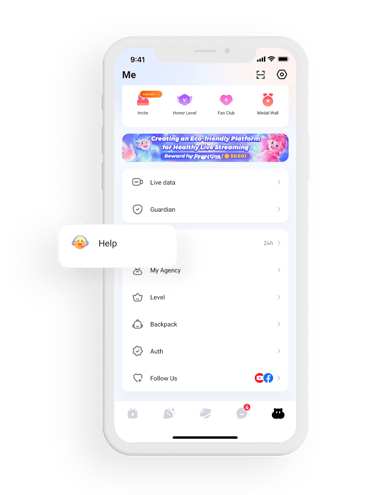
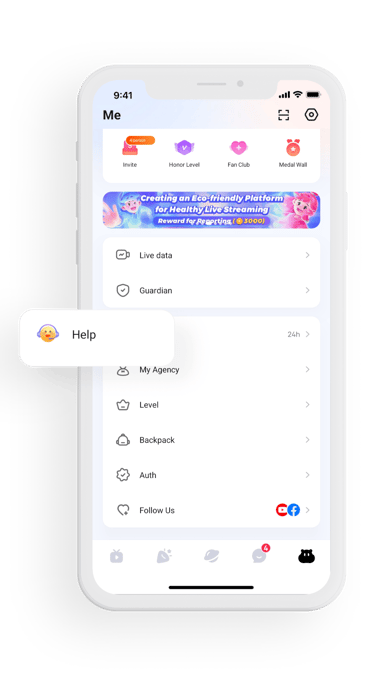
5. Application & Support
Apply online via the Poppo platform.
For questions, contact the Poppo Team.
Access the Help Center or Keyboard Shortcuts for guidance.
© 2026. All rights reserved.
Contact us: contact@poppolive.net | Support: support@poppolive.net | Information: info@poppolive.net